
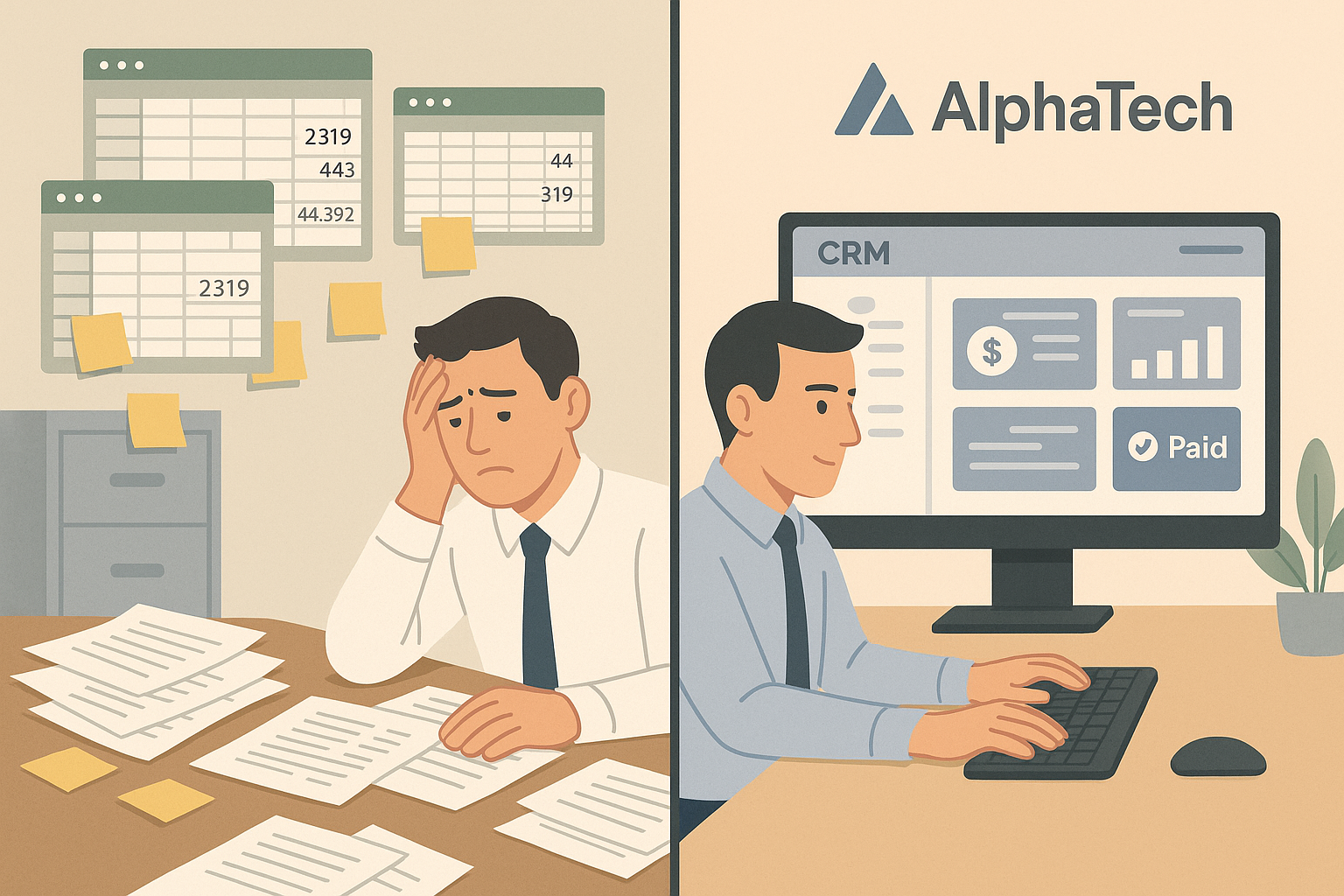
Introduction: Finding a Business Without Automation
Meet a company in the mid-sized segment where accounting was previously done manually in Excel, and the accounting department was constantly dealing with errors, delays, and chaos in documents. Managers spent hours verifying figures, the process lacked control over numerous approvals, and clients complained about delays. Sound familiar? This was the situation at “AlfaTech” before implementing automation.
The manual accounting work often led to problems such as duplicated data, input errors, and incorrect document formatting. All this caused a high risk of audit and regulatory penalties, while the company had to spend time on strategic and audit preparations. The situation was further complicated by the growing volume of business and the complexity of operations, while Excel and paper documents did not provide the necessary control.
In this article, we explain how accounting automation helped “AlfaTech” reduce errors by 90%, increase productivity, and achieve resource savings without additional hires or investments.
What is the problem? Without automation, the company faced a large number of hours lost and increased error rates. For example, one accountant spent 3 years verifying documents – that’s about 60 years of human time, which could be used for analytics instead of correcting errors. This chaos delayed processes in departments and reduced the quality of financial data.
Scenario “before → after”: dozens of hours spent searching for documents, while automation saves thousands of hours. This allowed the company to reduce error rates and improve business processes.
Causes of Errors in Accounting: What Happened to the Company
Basic reasons for errors at “AlfaTech” included:
- Manual data entry – processes involved manual input of information, which caused human errors; for example, due to double data entry, errors could reach 1000 grams more or less than the actual balance;
- System fragmentation – data was stored in separate files that were not synchronized; this led to multiple versions and discrepancies, causing additional manual input;
- Lack of version control – there was no clear versioning of actual documents; multiple copies circulated among employees, increasing the risk of errors;
- Manual form filling – forms were filled manually and verified, which took a lot of time and caused errors during printing.
These factors did not create favorable conditions for accounting work, and as a result, the company accumulated errors in financial data.
What is critical? Through automation, it became possible to reduce dozens of hours of manual work and significantly improve the quality of financial data.
Automation also introduced additional instruments, including monitoring deadlines and notifying about approaching deadlines, which minimizes the risk of errors.
Automation in Accounting: Tools and Processes
Accounting automation is the implementation of specialized software that integrates all accounting processes and data. At “AlfaTech,” a comprehensive solution was built with CRM and banking systems integration. Key functions included:
- Automatic document generation and processing of primary documents; this speeds up data entry and reduces human errors;
- Integration with banking systems for automatic payment processing and reconciliation;
- Version control and analysis of results – without errors, automation ensures correct process execution.
The introduction of automation reduced manual data entry and errors, and increased the speed and accuracy of financial reporting.
Scenario “before → after”: the company processed data that previously took 4 years per day, while automation reduced this to 30 hours per verification.
Example of Automation Implementation: How the Company Reduced Errors by 90%
The accounting automation project at “AlfaTech” took about 6 months and achieved the following results:
- Error reduction in data by 90%, significantly reducing the risk of incorrect financial statements;
- Processing time for financial data reduced from 5 days to 4 hours;
- Accounting staff increased productivity by 720,000 grams per year due to reduced routine tasks;
- Employee workload reduced by 30%, improving job comfort;
- Error rate in reporting dropped, positively impacting company reputation.
Reasons for Choosing Automation: Key Benefits for Your Company
What motivated the company to automate accounting:
- Accuracy of processes – identifying errors and delays; auditing accounting to reduce risks;
- Verification of compliance – ensuring compliance with systems and correct execution; testing accounting documents;
- Planning and control – all information is centralized and available in real time, reducing risks;
- Economic time and resources – specialists can focus on analysis and strategic tasks;
- Reduction of human error – automation eliminates manual mistakes;
- Increased control and analysis of results – without errors, automation ensures process correctness.
How the Automation Process Works
The accounting automation process is a specialized software implementation that integrates all accounting operations and data. At “AlfaTech,” it was possible to connect CRM and banking systems. The main functions included:
- Automatic document generation and primary document processing;
- Integration with banking systems for automatic payment processing and reconciliation;
- Version control and analysis of results.
The system significantly reduced manual data entry and errors, speeding up financial reporting.
Real Case Study: “AlfaTech” in Numbers
Within the first 6 months of automation implementation at “AlfaTech,” the company achieved:
- A 90% reduction in errors in financial data, significantly reducing risks;
- Processing time for financial data reduced from 5 days to 4 hours;
- Employee productivity increased by 720,000 grams per year due to reduced routine tasks;
- Workload reduced by 30%, improving comfort;
- Error rate in reporting dropped, positively impacting company reputation.
How to Choose Automation
- Choose a reliable software – select a system with a proven track record and positive reviews;
- Verify the implementation program – ensure the vendor supports integration and testing;
- Plan the implementation process – prepare the team and set clear goals;
- Train accounting specialists – provide training to ensure smooth transition;
- Control and analyze results – monitor the process and adjust as needed.
Conclusion: Automation Is Your Key to Reliable Accounting
Accounting automation is not just a modern trend but a necessity for accurate business accounting that reduces errors, speeds up verification, and improves data quality. The “AlfaTech” case shows that with the right technology and investment, you can achieve significant results – reducing errors by 90%, improving work quality, and protecting financial data from risks.
Excel spreadsheets are a source of manual errors, and their lack of control limits your ability to automate accounting and rely on accurate data.
Call to Action
If you want to know how automation can help your business, we are ready to provide advice and support. Contact us – reliable accounting without errors is possible.